PTD9600U Ilość: 1
$4.99
» Pokaż Szczegóły
KGI 2181/A++ Ilość: 1
$4.99
» Pokaż Szczegóły
VSX-AX10AI-G/SF Ilość: 1
$4.99
» Pokaż Szczegóły
LCD27TV005 Ilość: 1
$4.99
» Pokaż Szczegóły
GC1703/97 Ilość: 1
$4.99
» Pokaż Szczegóły
C2082DAS/II Ilość: 1
$4.99
» Pokaż Szczegóły
JC1535VMA Ilość: 1
$4.99
» Pokaż Szczegóły
SP-THC20S Ilość: 1
$4.99
» Pokaż Szczegóły
ZI8KA Ilość: 1
$4.99
» Pokaż Szczegóły
1601 Ilość: 1
$4.99
» Pokaż Szczegóły
ARR630W Ilość: 1
$4.99
» Pokaż Szczegóły
CAW12D2A1 Ilość: 1
$4.99
» Pokaż Szczegóły
DTR-55 Ilość: 1
$4.99
» Pokaż Szczegóły
52KE4462 Ilość: 1
$4.99
» Pokaż Szczegóły
RF391PXXW2 Ilość: 1
$4.99
» Pokaż Szczegóły
CT1608/AB5SA0RN Ilość: 1
$4.99
» Pokaż Szczegóły
PDP-SX4280D/YVIXK5 Ilość: 1
$4.99
» Pokaż Szczegóły
CP1046F Ilość: 1
$4.99
» Pokaż Szczegóły
KV1415GE Ilość: 1
$4.99
» Pokaż Szczegóły
BCCS-7E Ilość: 1
$4.99
» Pokaż Szczegóły
KSFX921 Ilość: 1
$4.99
» Pokaż Szczegóły
95Q_WAH_WAH Ilość: 1
$4.99
» Pokaż Szczegóły
SV-MP810VGC Ilość: 1
$4.99
» Pokaż Szczegóły
S3-SPP Ilość: 1
$4.99
» Pokaż Szczegóły
HDD 5000 Ilość: 1
$4.99
» Pokaż Szczegóły
EBCSL7SCN Ilość: 1
$4.99
» Pokaż Szczegóły
W607C Ilość: 1
$4.99
» Pokaż Szczegóły
ERB 9041 Ilość: 1
$4.99
» Pokaż Szczegóły
RS675PXBQ0 Ilość: 1
$4.99
» Pokaż Szczegóły
1012T Ilość: 1
$4.99
» Pokaż Szczegóły
DU1065XTPB0 Ilość: 1
$4.99
» Pokaż Szczegóły
TM45 Ilość: 1
$4.99
» Pokaż Szczegóły
5000 Ilość: 1
$4.99
» Pokaż Szczegóły
RF364PXPB0 Ilość: 1
$4.99
» Pokaż Szczegóły
TXSV70PRO Ilość: 1
$4.99
» Pokaż Szczegóły
7648558510 Ilość: 1
$4.99
» Pokaż Szczegóły
MVS720VPT Ilość: 1
$4.99
» Pokaż Szczegóły
A-A5 Ilość: 1
$4.99
» Pokaż Szczegóły
EV200FXKQ02 Ilość: 1
$4.99
» Pokaż Szczegóły
CT3622/ASFSA0FR Ilość: 1
$4.99
» Pokaż Szczegóły
TAWL650AG0 Ilość: 1
$4.99
» Pokaż Szczegóły
KVXF21M30 Ilość: 1
$4.99
» Pokaż Szczegóły
CREDO7681ZP Ilość: 1
$4.99
» Pokaż Szczegóły
NSXD77 Ilość: 1
$4.99
» Pokaż Szczegóły
SJ-51H-BE Ilość: 1
$4.99
» Pokaż Szczegóły
ET8CHMXKT03 Ilość: 1
$4.99
» Pokaż Szczegóły
ADL 334 NB Ilość: 1
$4.99
» Pokaż Szczegóły
AVD97EZ/U Ilość: 1
$4.99
» Pokaż Szczegóły
DV175 Ilość: 1
$4.99
» Pokaż Szczegóły
CS-W12BKP Ilość: 1
$4.99
» Pokaż Szczegóły
BVF-77CE Ilość: 1
$4.99
» Pokaż Szczegóły
CWXC103VU Ilość: 1
$4.99
» Pokaż Szczegóły
DE6708 Ilość: 1
$4.99
» Pokaż Szczegóły
29210B Ilość: 1
$4.99
» Pokaż Szczegóły
6135M-DR Ilość: 1
$4.99
» Pokaż Szczegóły
LG7681XMW0 Ilość: 1
$4.99
» Pokaż Szczegóły
JTOB2CA Ilość: 1
$4.99
» Pokaż Szczegóły
HTS8100/37B Ilość: 1
$4.99
» Pokaż Szczegóły
CXDP6002 Ilość: 1
$4.99
» Pokaż Szczegóły
RH2330XLW2 Ilość: 1
$4.99
» Pokaż Szczegóły
SF514ESPW0 Ilość: 1
$4.99
» Pokaż Szczegóły
NV-VP33EC Ilość: 1
$4.99
» Pokaż Szczegóły
WVBP330 Ilość: 1
$4.99
» Pokaż Szczegóły
CT3328/BBISA0IT Ilość: 1
$4.99
» Pokaż Szczegóły
FG6270 Ilość: 1
$4.99
» Pokaż Szczegóły
21N1 Ilość: 1
$4.99
» Pokaż Szczegóły
E 4040-EW SKAND. Ilość: 1
$4.99
» Pokaż Szczegóły
RR-QR180P Ilość: 1
$4.99
» Pokaż Szczegóły
PZ800 Ilość: 1
$4.99
» Pokaż Szczegóły
DTR7.1 RS232 Ilość: 1
$4.99
» Pokaż Szczegóły
AFG 530/G Ilość: 1
$4.99
» Pokaż Szczegóły
9666 Ilość: 1
$4.99
» Pokaż Szczegóły
KGB 2509 Ilość: 1
$4.99
» Pokaż Szczegóły
LA7980XSW0 Ilość: 1
$4.99
» Pokaż Szczegóły
DVS-V3232B Ilość: 1
$4.99
» Pokaż Szczegóły
DPC472 Ilość: 1
$4.99
» Pokaż Szczegóły
28185 ET002 Ilość: 1
$4.99
» Pokaż Szczegóły
LC-20VM2 Ilość: 1
$4.99
» Pokaż Szczegóły
LVD-V7 Ilość: 1
$4.99
» Pokaż Szczegóły
GSIK 6528 IN Ilość: 1
$4.99
» Pokaż Szczegóły
LX3000D/PNL Ilość: 1
$4.99
» Pokaż Szczegóły
KT-DB1000 for EU Ilość: 1
$4.99
» Pokaż Szczegóły
ZEL 67 W Ilość: 1
$4.99
» Pokaż Szczegóły
3540 P Ilość: 1
$4.99
» Pokaż Szczegóły
KR-4700 Ilość: 1
$4.99
» Pokaż Szczegóły
RGL3612BW0 Ilość: 1
$4.99
» Pokaż Szczegóły
DEH-P350/XM/UC Ilość: 1
$4.99
» Pokaż Szczegóły
CB 656 W GB Ilość: 1
$4.99
» Pokaż Szczegóły
CRE9400ACW Ilość: 1
$4.99
» Pokaż Szczegóły
KESH307HBS6 Ilość: 1
$4.99
» Pokaż Szczegóły
MW926NE LOT1 Ilość: 1
$4.99
» Pokaż Szczegóły
XV-DV77/ZUCXJ Ilość: 1
$4.99
» Pokaż Szczegóły
W sumie: $459.08
 
English Polski Spanish 
Szukaj instrukcji do
 

(e.g. AA-V20EG JVC, ZX-7 Sony )
PayPal 1000+ rating Secure, Encrypted Checkout.
 
Kategorie
Informacje
Polecamy
Strona główna >> HARMAN KARDON >> FL8550 Instrukcja Obsługi
 
 92 szt. w koszyku 

HARMAN KARDON FL8550
Instrukcja Obsługi


Tweetnij o tym produkcie a dostaniesz $1.00 rabatu!
  • Plik do pobrania
  • Format PDF
  • Kompletna instrukcja
  • Język: English
Cena: $4.99

Opis HARMAN KARDON FL8550 Instrukcja Obsługi

Kompletna instrukcja obsługi w formie pliku PDF. Plik PDF zostanie dostarczony na Twój adres email po jego zakupieniu.

Instrukcje obsługi (czasami nazywane także podręcznikiem użytkownika) opisuja funkcje i sposób działania danego produktu.

Instrukcja jest dostępna w następujących językach: English

Plik nie jest jeszcze gotowy
Musisz najpierw dokonać zakupu.

Recenzje produktu
Dla tego produktu nie napisano jeszcze recenzji!

Tekstowy podgląd strony 12 (kliknij aby zobaczyć)
Operation
10

Loading Discs
To load a disc, first turn the FL8550 on using the Power Switch 1. Note that the Status Mode Indicator 2 will turn green and the Information Display � will illuminate. The word disc will flash in the Information Display, and the disc tray will automatically turn clockwise so that the FL8550 can sense which, if any, of the disc positions already have a disc. To load a disc, first press the Open/Close button ! a, taking care to make certain that the space in front of the drawer is not obstructed. Note that if the drawer is blocked when attempting to open it, it will automatically close within five seconds to protect the mechanism. Load discs in the tray with the printed (label) side facing up towards you. Make certain that the disc is centered in the tray. Either 5" (12cm) or 3" (8cm) discs may be used. When a 3" (8cm) disc is played, it should be carefully centered within the smaller ridges on the tray. Only one CD may be placed in any position at a time. When a 3" (8cm) is played, DO NOT place a standard 5" (12cm) disc over the smaller disc.
Labeled surface

Note that each disc position has a number embossed in the plastic tray. This corresponds to the position this disc will occupy for playback and programming. To make it easier to identify each disc�s position, the disc position number for the holder space that is in the center of the disc tray will also appear in the Information Display when the disc drawer is open. To rotate the disc tray to another position, press the Disc Skip button * p. The tray will revolve clockwise to the next slot, and the Information Display will indicate the position number for the slot in the middle of the tray. To close the disc drawer, press the Open/ Close button ! a. When the drawer closes, the disc that was last in the center position on the tray will be readied for play. Its number will appear in the Information Display, and a flashing red line will surround the icon for that disc. The icons for all other tray positions that have a disc will be surrounded with a blue line. If the center disc position is empty when the drawer is closed, the unit will search for the next position with a disc loaded, and place that spot in the ready mode. The drawer may also be closed and the FL8550 put into play by pressing the Play button $ h. This will put the disc in the center position into the Play mode. To close the drawer and play a specific disc, press the Disc Select button ( b corresponding to the tray position number for the disc you wish to play. When the disc drawer closes, the Information Display will briefly display the disc number, the total number of tracks on the disc and the disc�s total

running time. After five seconds, the display will indicate the disc number that is in the play position, both by a flashing red line surrounding the disc�s icon and the wording in the display, such as disc 5. The total number of tracks on the disc will illuminate at the far right side of the display.
1
DISC

2
TRACK

3

4
MIN

5
SEC

11 12

12345 6 7 8 9 10

To remove a disc from the player, press the Open/Close button ! a. The drawer will open, allowing the discs to be removed. Press the Disc Skip button * p to rotate the disc carousel tray to reach discs that may be covered. When a disc does not occupy a numbered tray, and the sensor detects no disc present, the disc number will drop from the display. Upon placing a disc in the unoccupied tray, the disc number will reappear when detected by the sensor mechanism. Disc-Handling Notes When loading or unloading discs, it is best to hold them by the edges. While Compact Discs are very reliable, rough handling may damage them. Avoid scratching the bottom (non-printed) side of discs, or any handling that will leave fingerprints. To avoid damage to the disc and player, always seat discs so that they are centered in the tray. Do not lift the player while the disc tray is opening or closing, as this may cause the discs to unseat from the tray and possibly jam.

Recorded surface

Klienci kupując ten produkt kupili także

$4.99

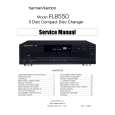
FL8550 HARMAN KARDON
Instrukcja Serwisowa

Kompletna instrukcja serwisowa w formie pliku PDF. Instrukcje serwisowe zazwyczaj zawierają schemat…
>
Parse Time: 1.141 - Number of Queries: 438 - Query Time: 0.75